dasshboard-tui
Moving between SSH hosts just got a whole lot easier.
- Rust
- ratatui
- SSH
- TOML
The board
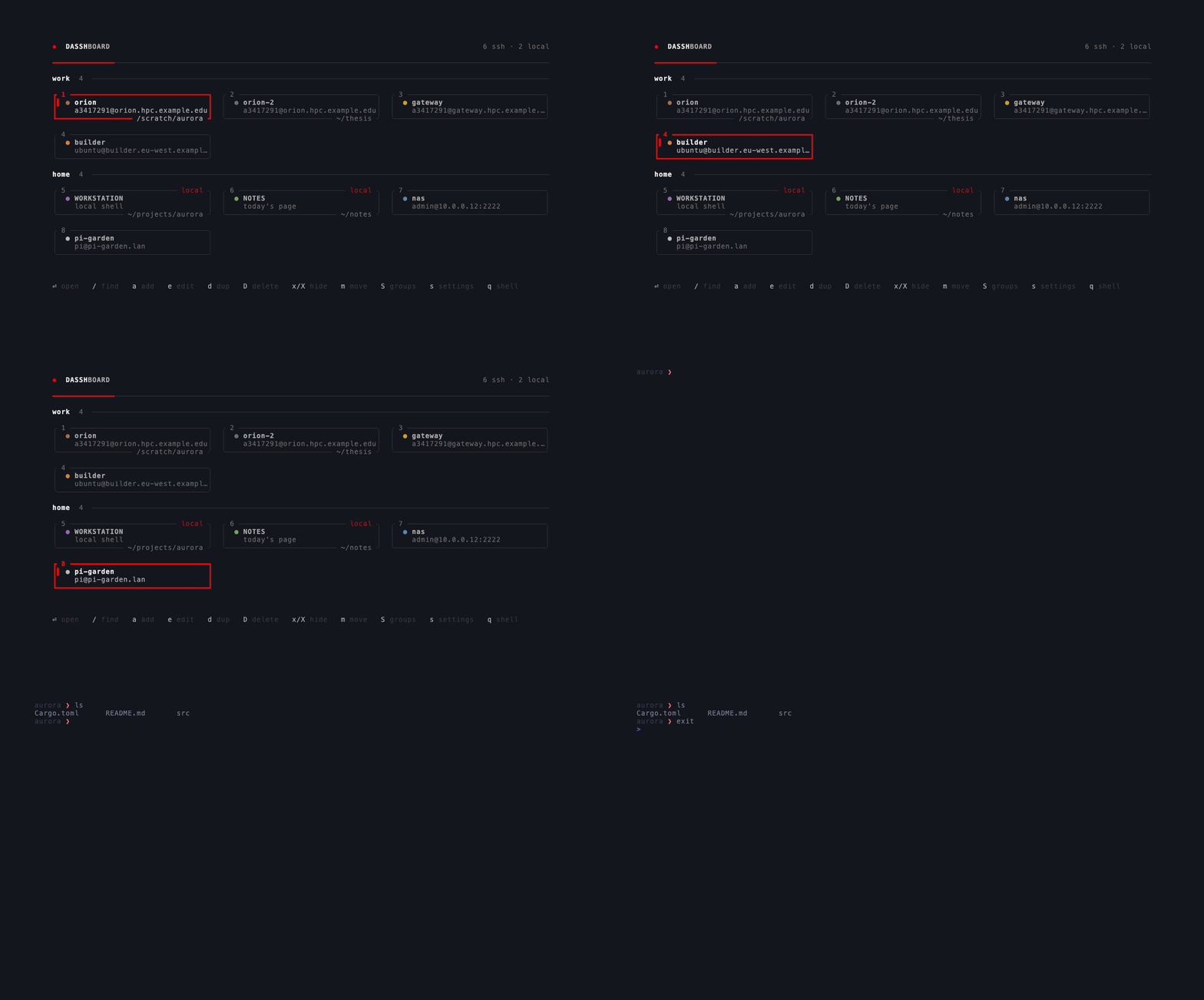
Arrows or hjkl move, g and G jump to the first and last tile, ⏎ opens. t, w and c override where a session lands (a new tab, a new window, or this terminal) for one launch, without changing the default.
Finding and editing hosts
/ filters by name, target or jump host. a, e and d add, edit and duplicate a tile; D deletes one after asking; x hides it and X brings every hidden tile back. Edits rewrite whole blocks as text, so the comments and formatting in your config survive, and a TOML error is reported in the status line rather than taking the board down.
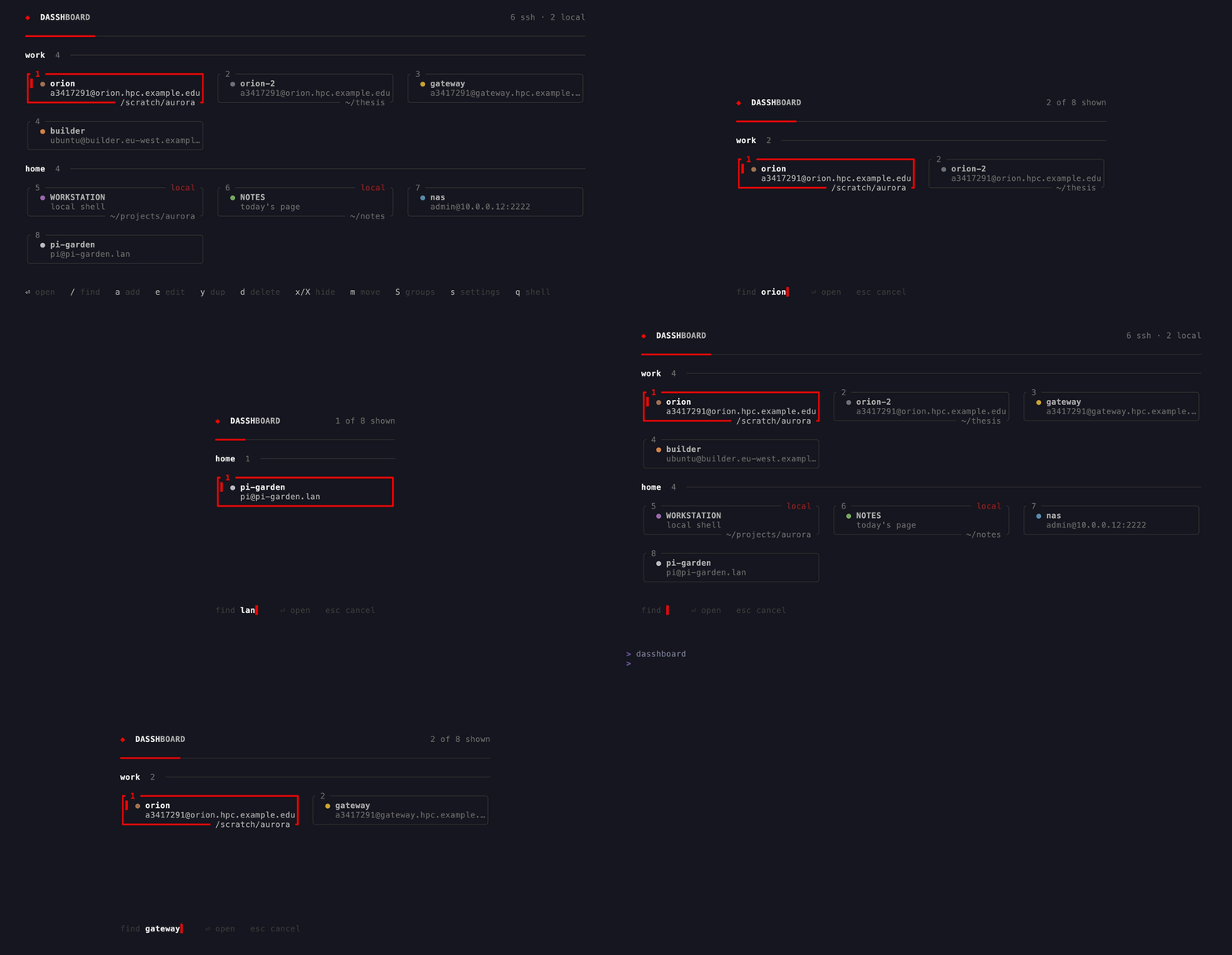
/ matches against name, target and jump host.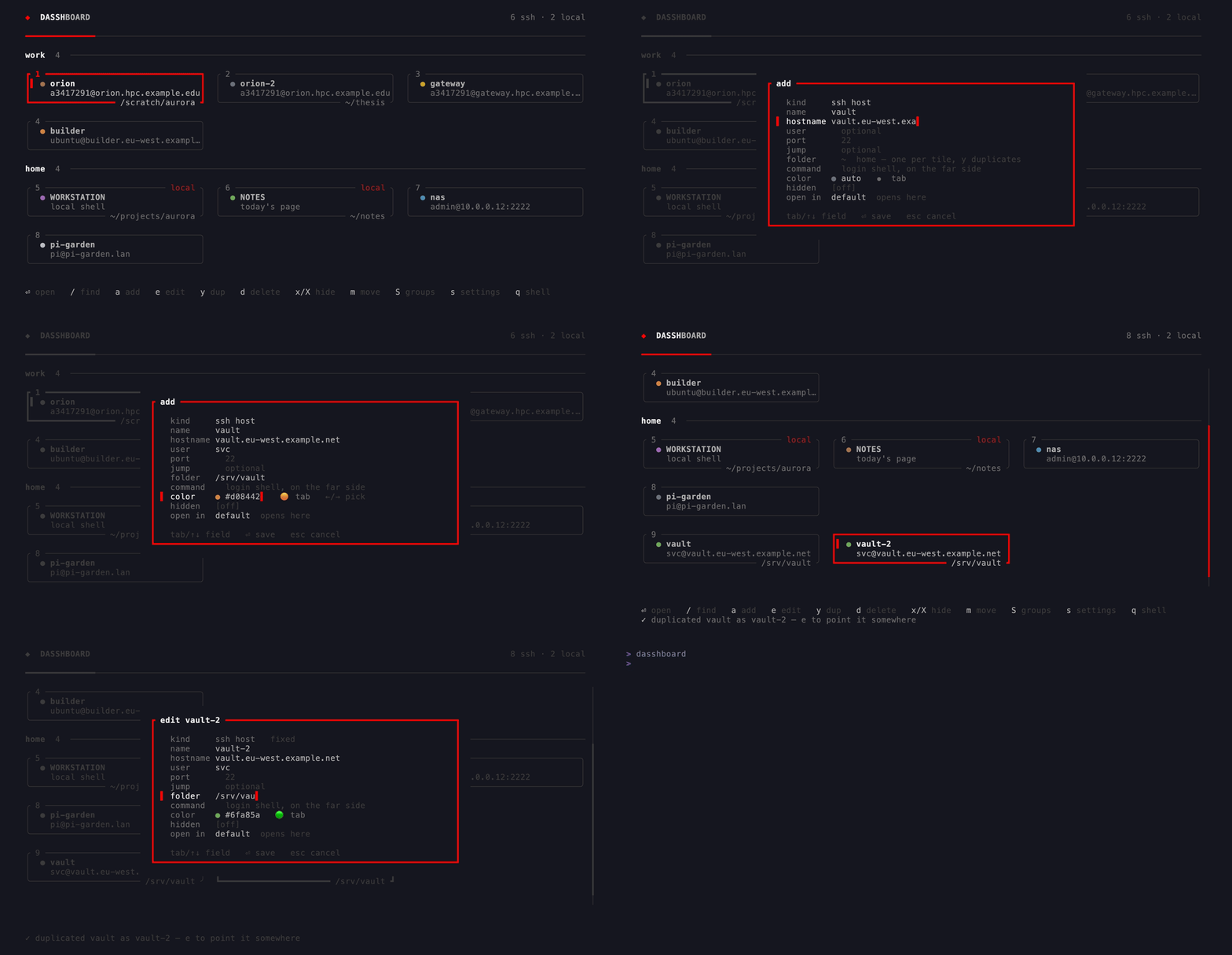
~/.ssh/config is never written to.Groups and colour
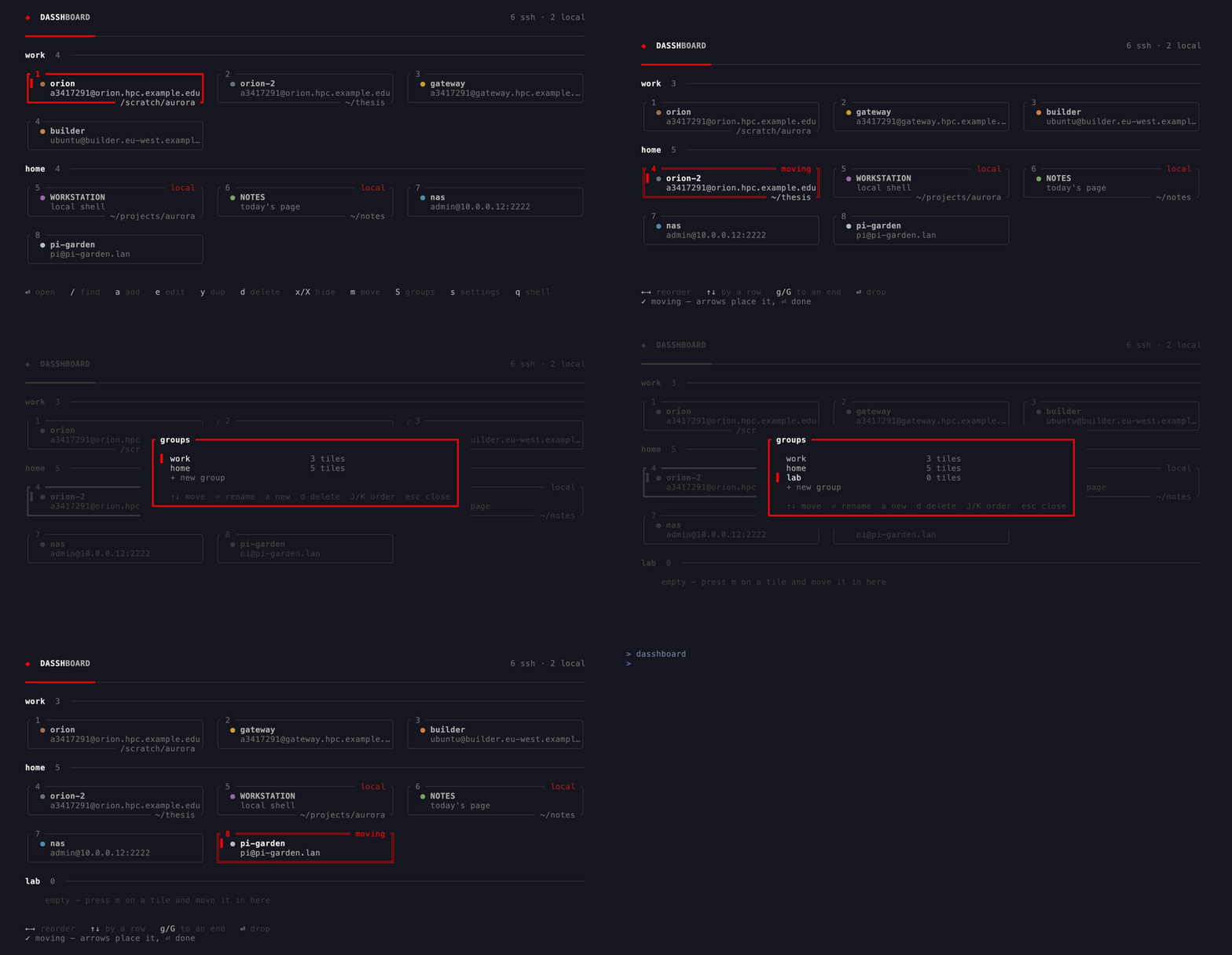
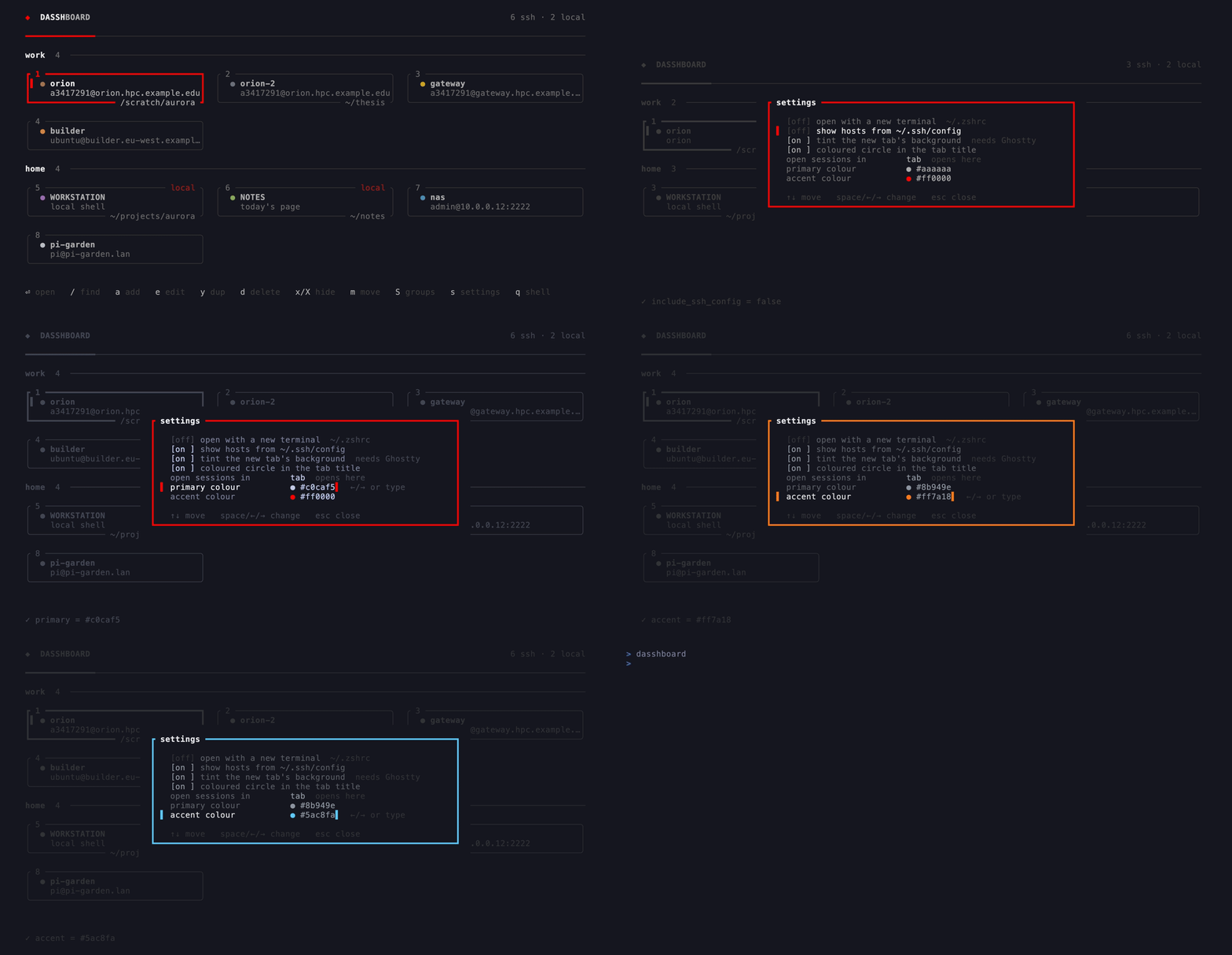
S manages groups: a section heading with an ordered list of tiles under it. s opens settings: whether to include ~/.ssh/config, whether hidden tiles show at startup, where sessions open, and the two theme colours. Every host gets a colour, auto-assigned unless you pick one.
Compatibility
The TUI runs anywhere, and opening a session in the current terminal works everywhere. Opening a new tab or window needs a terminal with an automation interface, which today means Ghostty ≥ 1.2 on macOS, where the new surface also picks up the host's colour as a tint. Everywhere else tab and window resolve to current, so a shared config still parses and still works.